
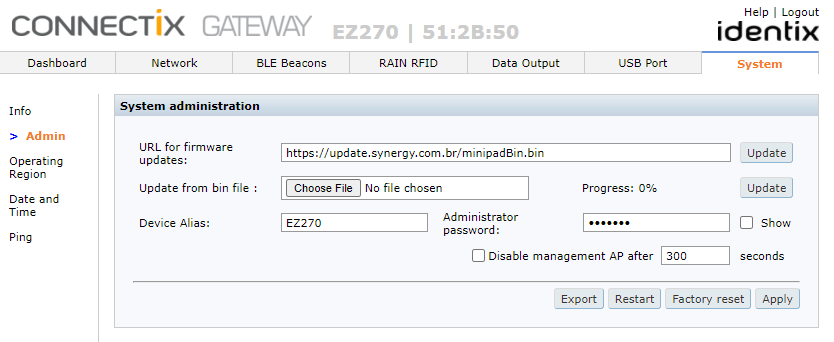
To update the device firmware, execute the following steps:
- Log into de gateway administration interface
- Go to the "System / Admin" menu
- Choose the option "Update from bin file" and click the "choose file" button
- Upload the desired firmware file (with .bin extension)
- Hit the "Update" button
- The LED will change the color and the update process will initiate
- The file upload / flashing process finishes with an audible beep
- The device will restart automatically
ATTENTION
The device internal hotspot is intended for system configuration only!
DO NOT USE the internal Wi-Fi hotspot for device operation or firmware updates
Depending on the firmware version, some additional steps are required.
- If after restart the device LED goes White, wait until it turns Green
- After the LED blinks Green, remove and reconnect the device from the USB power supply
- The device will reboot, terminate the update process and restart automatically
Downloads
- mceclip0.png (39 KB)